Perform a Utah business entity search to check name availability and access existing business details and filings. When creating a new entity, the name must be distinguishable from all other registered companies in the database. The Division of Corporations platform can help determine availability, although the name is subject to other state guidelines for final approval.
Business Entity Search
1. Visit the Business Entity Database
2. Enter Entity Info
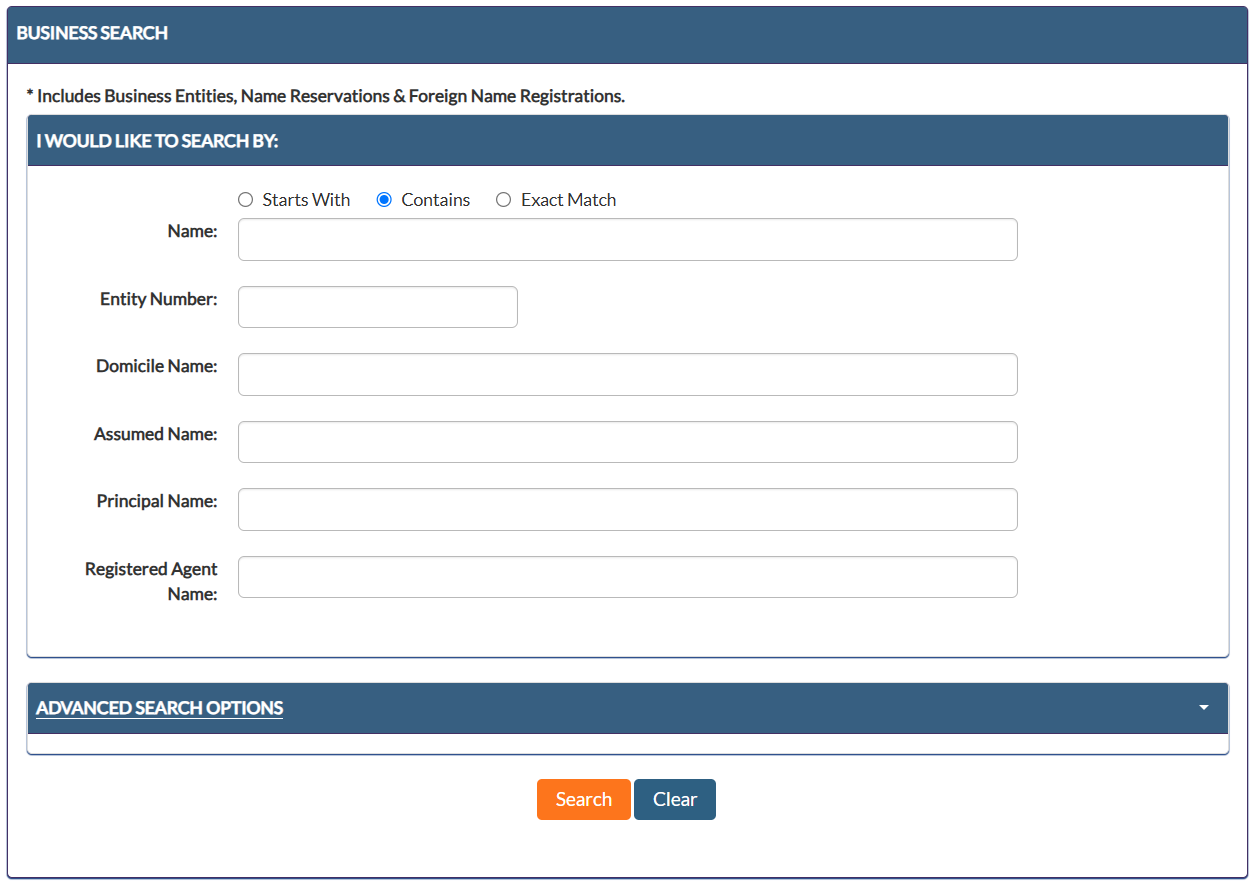
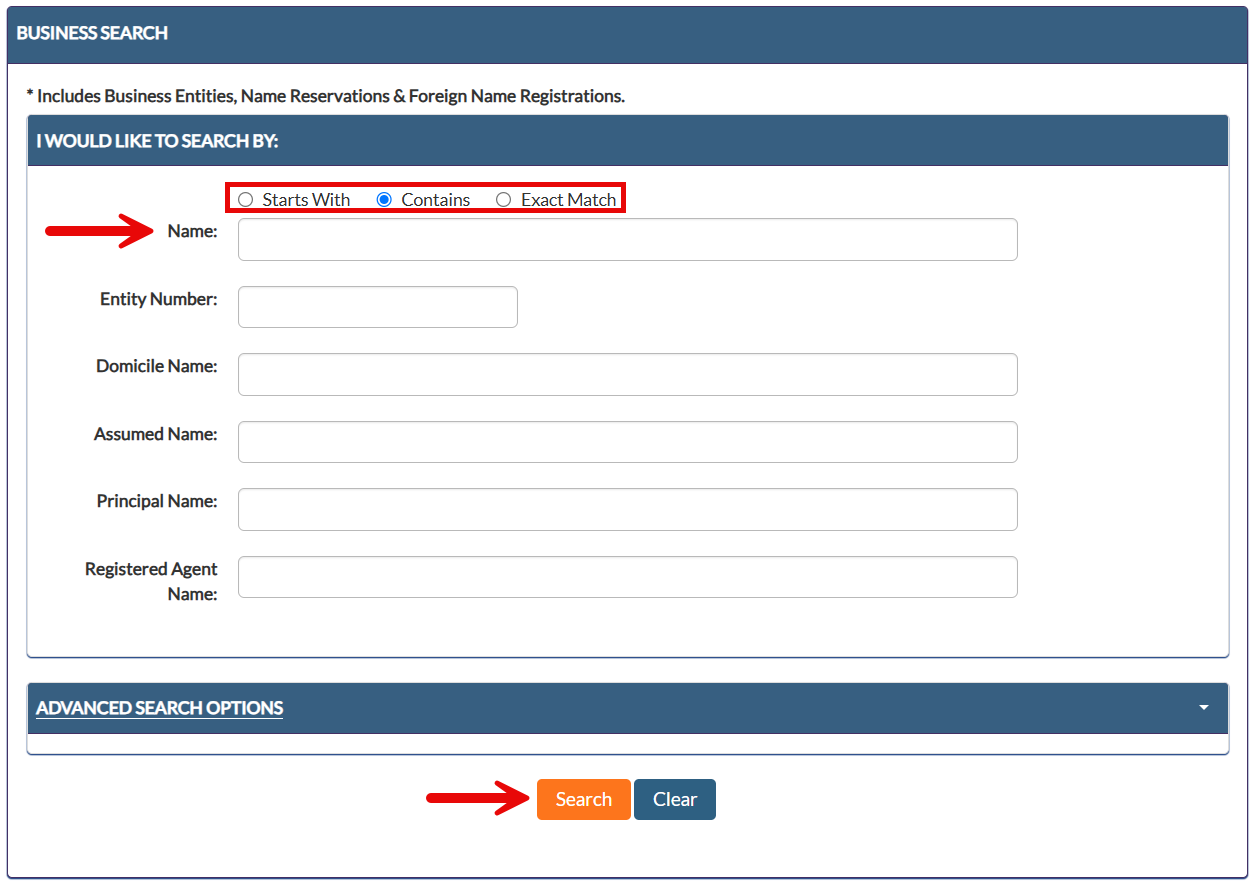
To determine whether a business name is available or to look for entities that match specific keywords, select the desired filter (Starts With, Contains, or Exact Match), enter a business name/keyword into the Name field, and click Search.
Companies can also be searched by entity number, domicile name (i.e., name in original jurisdiction), assumed name, principal name, or registered agent name.
3. Look Through Search Results
No Records: If an alert pops up saying No records found with your search criteria, the searched name may be available to use for a new business (see image).
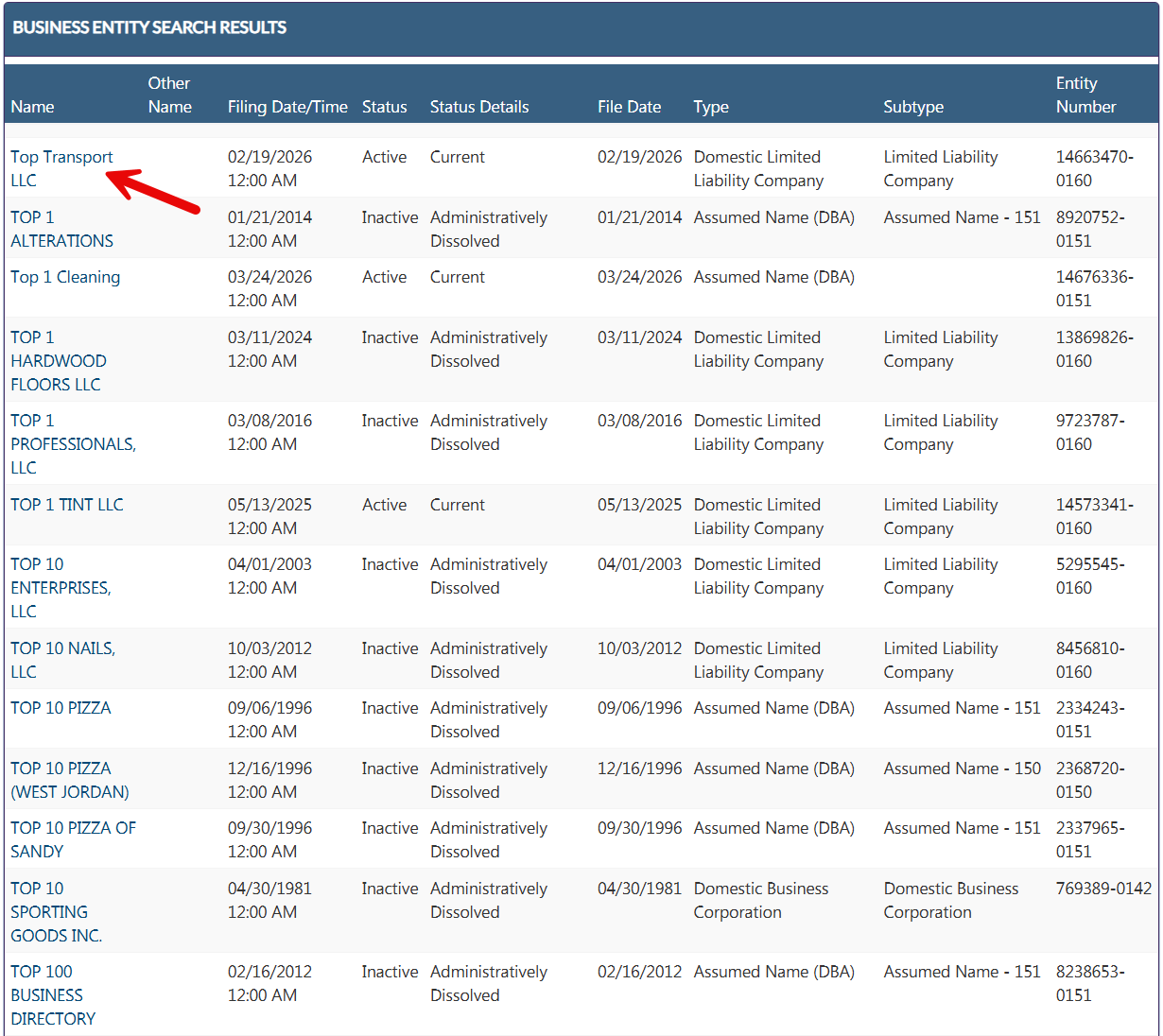
Matching Search Criteria: If any registered entities meet the search criteria, the names will be listed along with filing dates, entity status, type, and number. Select the name of an entity to view company information and document filings.
4. View Entity Records
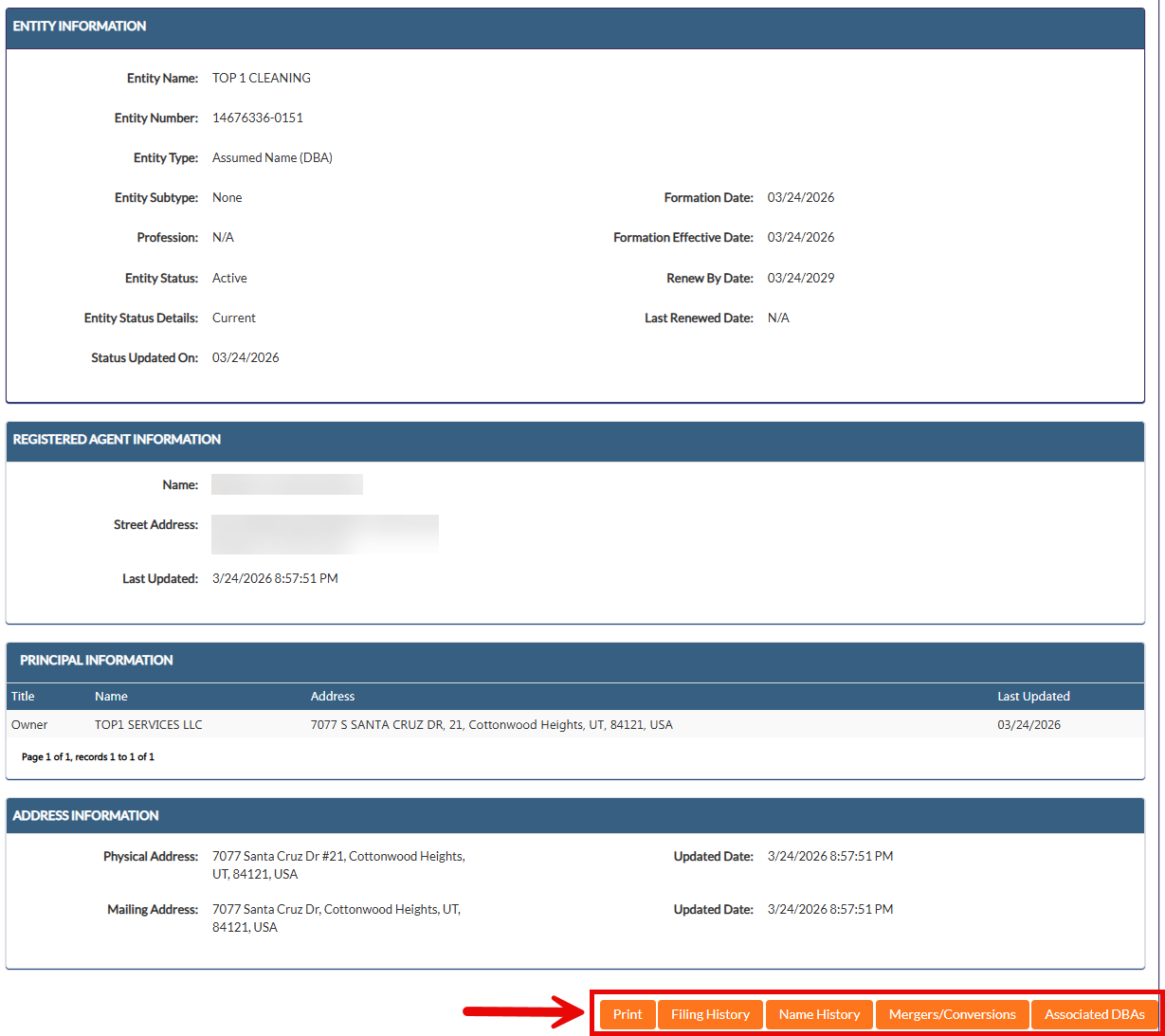
After clicking on an entity name, the following company details will be displayed:
- Entity name
- Number
- Type/subtype
- Profession
- Status details
- Formation/renewal dates
- Registered agent info
- Principal info
- Physical and mailing addresses
At the bottom of the page, click on Filing History, Name History, Mergers/Conversions, or Associated DBAs to bring up additional info or download filed documents.