
Use the Kansas Secretary of State business search portal to research any registered entity or check the availability of a desired name. Name availability checks ensure that a company name is neither deceptively similar or indistinguishable from those already in use. A business search will produce company details and enable users to view or purchase documents.
Business Entity Search
1. Go to the Business Search Homepage
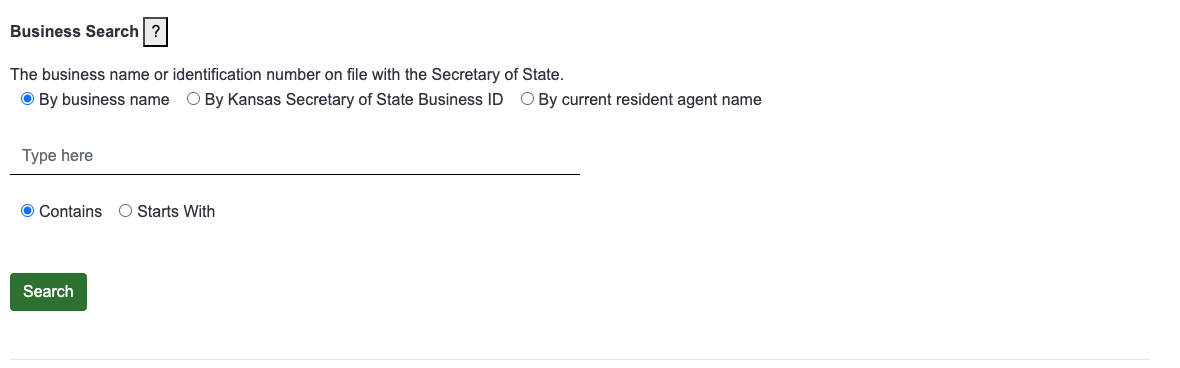
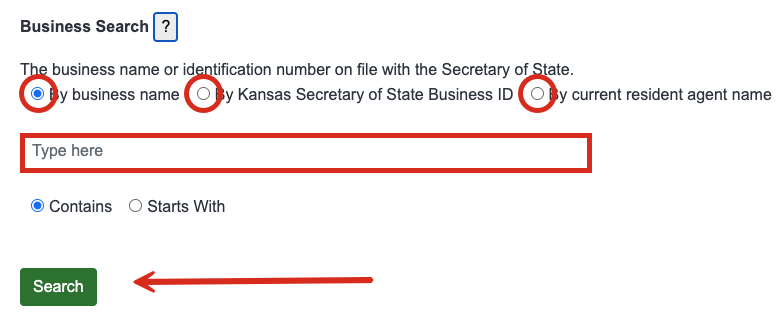
2. Enter Identifying Info
Select either By business name, By Kansas Secretary of State ID, or By current resident agent name to set the search method.
Next, enter the entity name, ID or agent name in the provided field. If searching by business name, select whether the entity contains or starts with the entered name.
Click Search when ready.
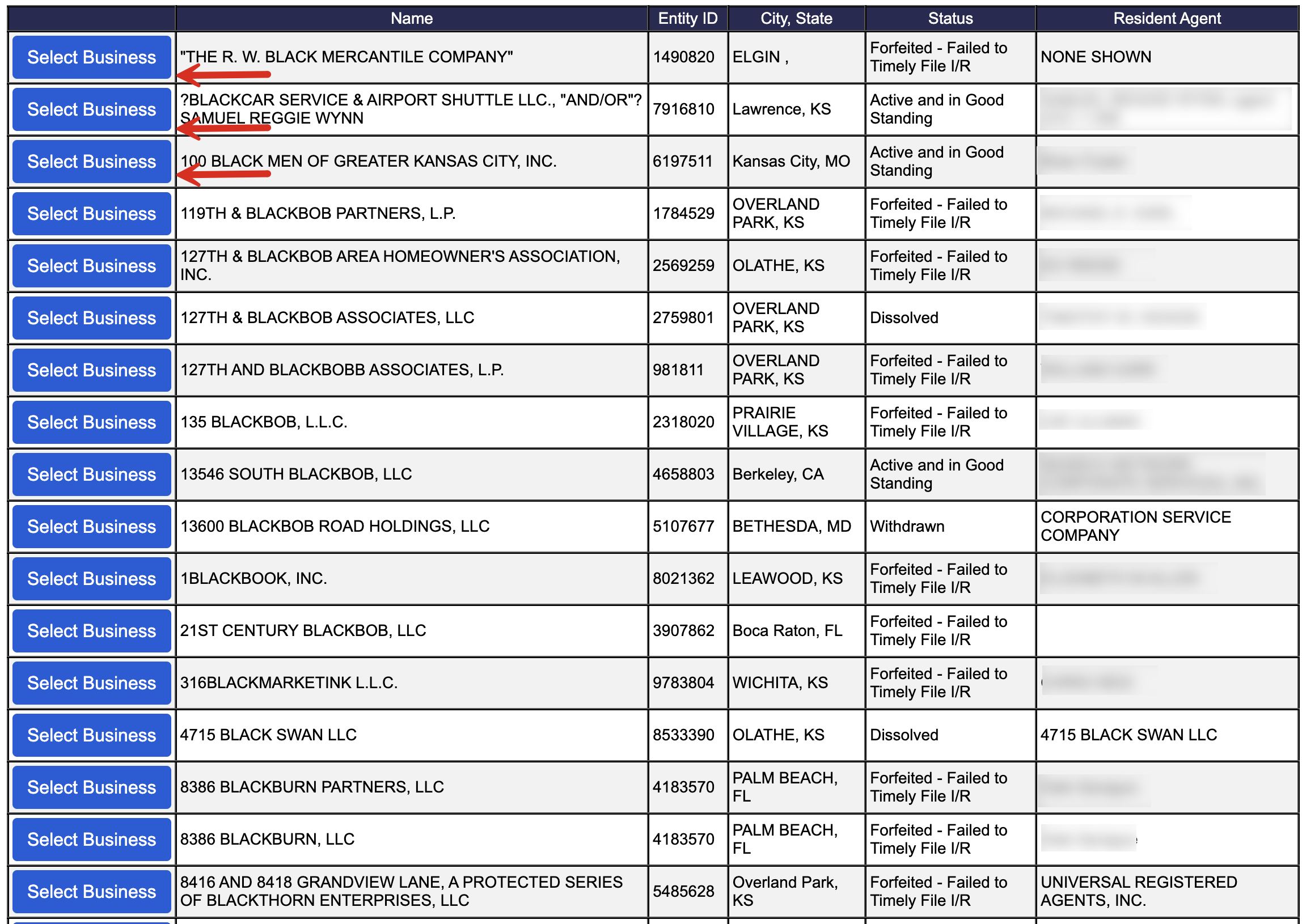
3. View Matching Results
If searching by name or registered agent, it’s likely that the search results will yield a number of businesses both active and inactive. The entity name, ID number, city and state of the principal office address, status, and registered agent will all be listed.
Searching by business ID number should present a single result.
Click Select Business to view that entity’s details.
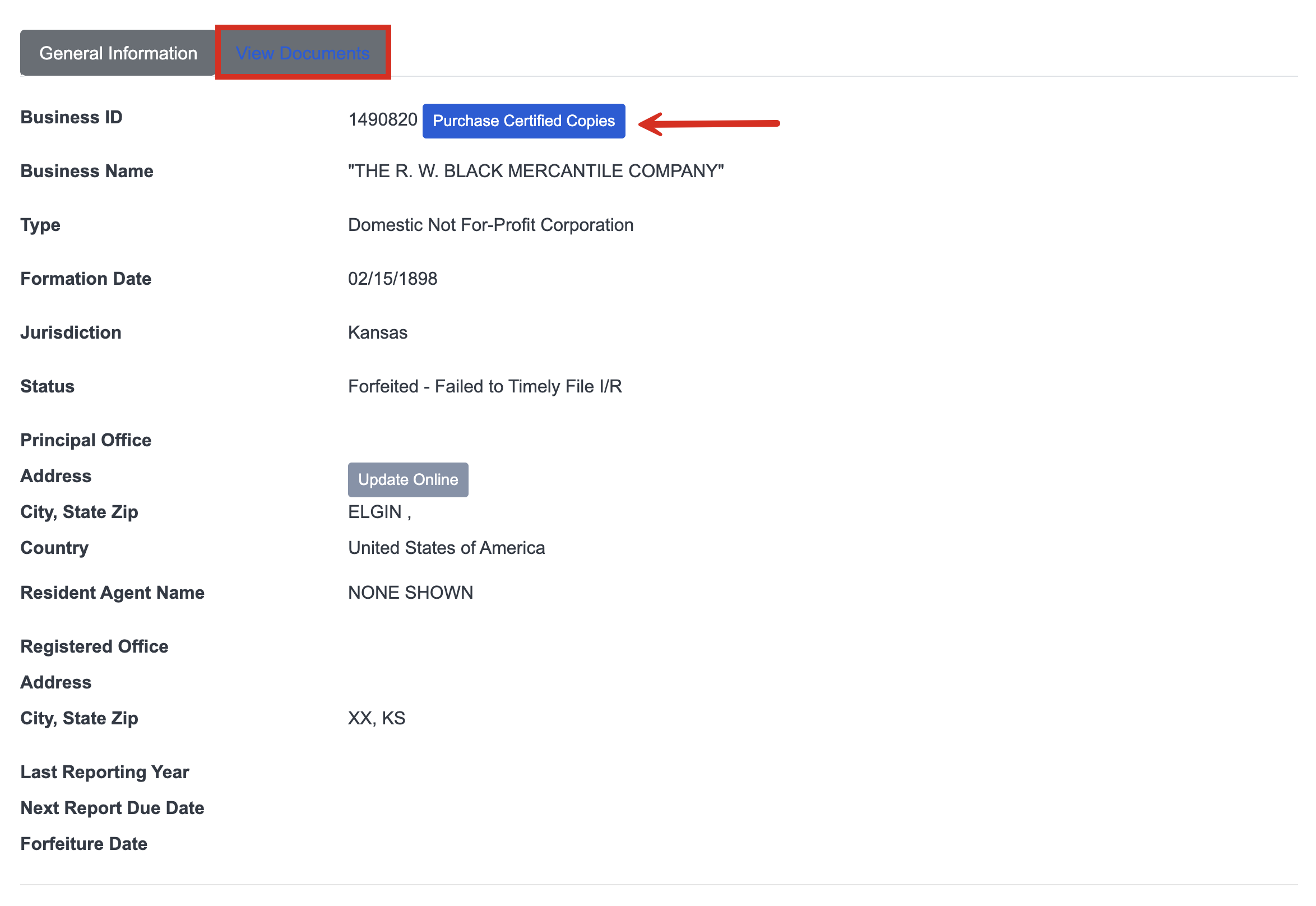
4. View General Information
The selected business’s information will be presented on the following page and may include any of the following:
- Business ID
- Business name
- Type of business
- Date of formation
- Jurisdiction
- Status
- Principal office address
- Registered agent name
- Registered office address
- Last reporting year
- Next report due date
- Forfeiture date
Selecting the View Documents tab will present a list of forms submitted to the Secretary of State such as formation documents and annual reports.
5. View Documents
The View Documents tab presents all forms filed with the Secretary of State. Clicking View Document will display the form in a separate window. Here as well, users can purchase certified copies. They can also view the documents they’ve already purchased.
